
Download Active TTS Component – text to speech, TTS, audio converter, voice generator, speech synthesis
Overview
Active TTS Component is a specialized productivity tool designed to convert text files into high-quality audio output directly, without requiring intermediate files. This functionality streamlines workflows for developers and content creators who need to integrate text-to-speech capabilities into their applications. The app serves as a backend engine for speech synthesis, enabling automated audio generation from plain text inputs. Its primary use cases include e-learning content creation, accessibility tools, automated voice assistants, and multimedia applications that require dynamic voice output.
Target users include software developers working with Visual Basic, Delphi, Java, and .NET environments, as well as technical teams building applications that require real-time or batch text-to-audio processing. The tool is particularly valuable in scenarios where audio output must be generated on-demand with minimal system overhead. Although the developer did not provide additional technical details about the underlying engine or voice libraries, the app’s focus on direct conversion and format flexibility suggests an optimized backend architecture.
Within the broader app ecosystem, Active TTS Component fills a niche for lightweight, language-agnostic TTS integration. It does not function as a standalone audio player or editor but rather as a component for developers seeking to embed speech synthesis into custom software. Its release in 2011 indicates a long-standing presence in developer tooling, though updates may be infrequent. The app’s continued relevance stems from its core functionality: efficient, format-rich text-to-audio conversion with minimal setup.
Key Features & Functionality
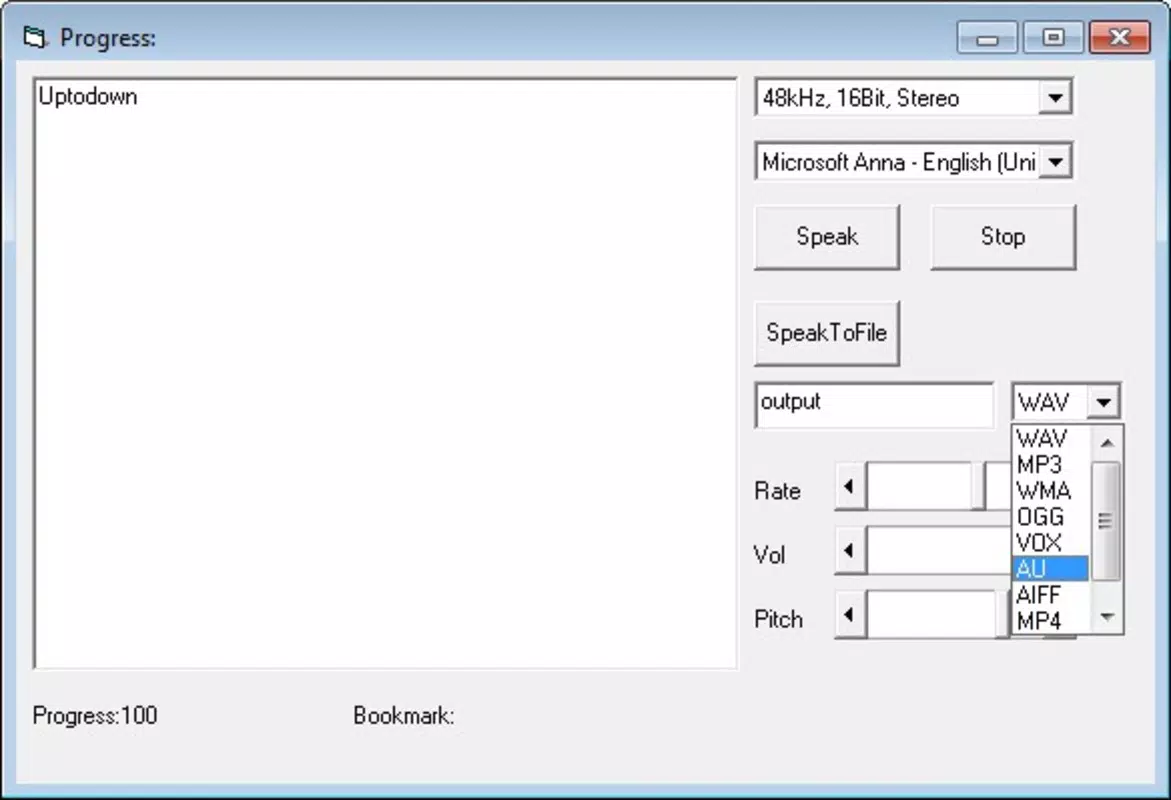
- Multiple Audio Formats: The app supports output in MP3, WMV, and OGG formats, providing users with flexibility in choosing audio files based on device compatibility, file size, or quality preferences. This enables seamless integration across platforms and devices.
- Programming Language Support: Active TTS Component is compatible with Visual Basic, Delphi, Java, and .NET, allowing developers to embed speech synthesis into diverse software environments without needing to rewrite core logic.
- No Intermediate Files: By eliminating the need for temporary or intermediate files during conversion, the process becomes faster and more secure, reducing disk usage and potential data leakage risks.
- User-Friendly Interface: Despite a possible initial learning curve, the interface is designed to be intuitive, enabling users to navigate settings and initiate conversions efficiently.
- High-Quality Audio Output: The synthesized speech is reported to be clear and natural-sounding, making it suitable for professional applications where audio clarity is critical.
For example, a developer building a language learning app could use Active TTS Component to generate spoken vocabulary lessons directly from text databases. Similarly, a technical writer could automate voice-over creation for documentation, improving accessibility. The direct conversion workflow ensures that projects remain efficient and scalable.
Interface, UX & Performance
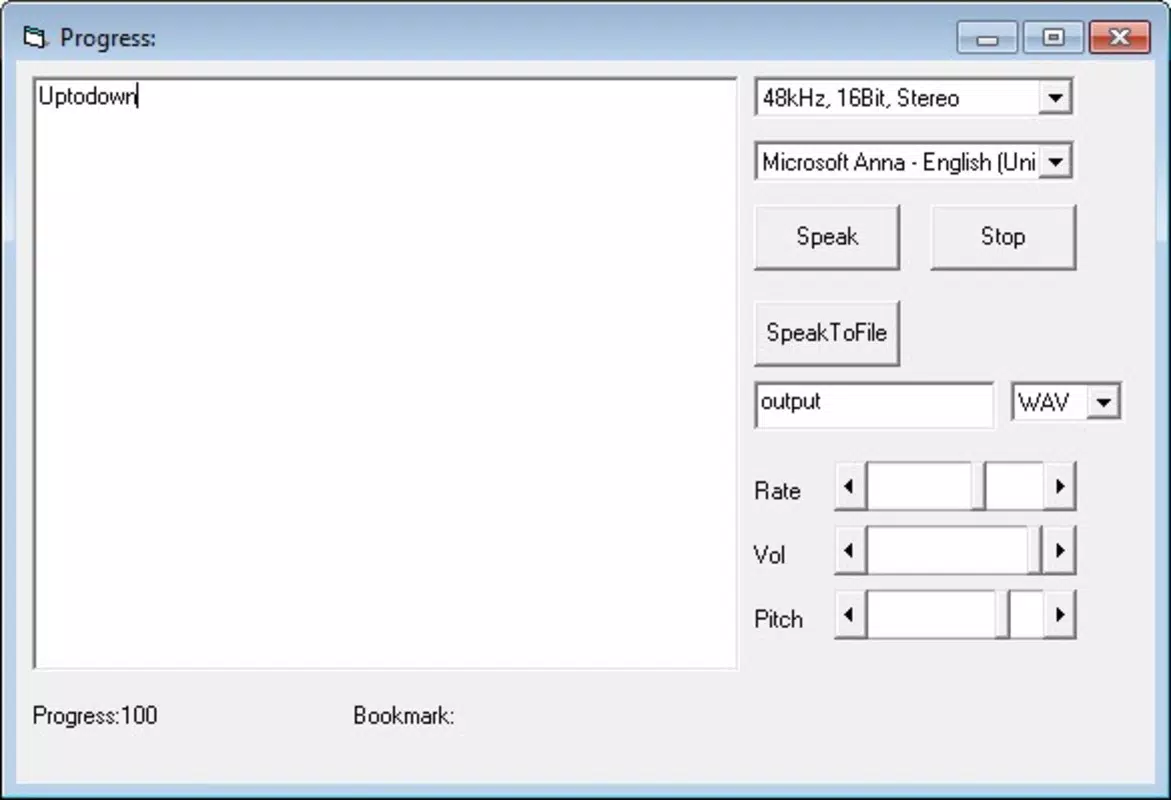
The user interface of Active TTS Component is designed with functionality over aesthetics, reflecting its role as a developer-focused tool. Navigation is straightforward, with core functions accessible through a minimal layout. Users can load text inputs, select output formats, and initiate conversion with few steps, though detailed configuration options may require some familiarity with TTS parameters.
Although the developer did not list formal performance metrics, the app’s lightweight size of 2.4 MB suggests optimized resource usage. It is expected to run efficiently on modern Windows systems, though performance on older or low-end hardware may vary. Responsiveness appears to be adequate for batch processing tasks, though real-time conversion speeds were not disclosed.
Stability is implied by the app’s long-standing release history, though no user-reported issues were provided. The absence of intermediate files likely contributes to reduced crash risks during long-running processes. Overall, the UX prioritizes utility and integration over visual polish, aligning with its target audience of technical users.
Platform Compatibility & Technical Requirements
Active TTS Component is available exclusively for the Windows platform. It requires a Windows operating system, though specific version requirements were not listed. The app has a file size of 2.4 MB, indicating a compact footprint suitable for deployment in development environments.
Given its release date of January 22, 2011, and the absence of recent update information, users should consider compatibility with current Windows versions, particularly newer editions like Windows 11. The developer did not specify minimum OS requirements, so installation on modern systems may require compatibility mode or testing.
Pros and Cons
Pros
- Supports multiple audio formats including MP3, WMV, and OGG
- Compatible with major programming languages: Visual Basic, Delphi, Java, and .NET
- Eliminates the need for intermediate files during conversion
- Delivers high-quality, clear audio output
- Compact file size of 2.4 MB
Cons
- Only available for Windows, limiting cross-platform use
- Price point of $249.00 may be high for individual developers or small projects
- No information on update frequency or future development
- Learning curve may affect beginners unfamiliar with TTS integration
- Platform and OS compatibility details were not fully disclosed
FAQ
Is Active TTS Component available for Android or iOS?
Currently, the app is only available for Windows. There is no official support for Android or iOS platforms.
Can I use Active TTS Component in my commercial application?
Yes, the component is designed for integration into commercial software. However, licensing terms should be reviewed to ensure compliance with the developer’s conditions.
Does the app require an internet connection?
The provided information does not specify whether an internet connection is required. The app may function offline, but this was not confirmed by the developer.
How often is Active TTS Component updated?
There is no publicly available information on update frequency. The last release was in 2011, so users should assess whether current system compatibility is maintained.
Is the audio output clear and natural-sounding?
According to user feedback, the audio output is reported to be of high quality, with clear and understandable speech synthesis suitable for professional use.
Final Thoughts + CTA
Active TTS Component remains a viable option for developers seeking a reliable, lightweight solution for text-to-audio conversion within Windows-based environments. Its support for multiple audio formats and integration with key programming languages makes it a practical tool for embedding speech synthesis into custom applications. While the $249 price tag and lack of recent updates may raise concerns, its core functionality continues to serve niche technical needs.
For teams working with Visual Basic, Delphi, Java, or .NET, the app offers a streamlined path to generating voice output without intermediate files. However, users should verify compatibility with current Windows systems before deployment.
Download Active TTS Component now


